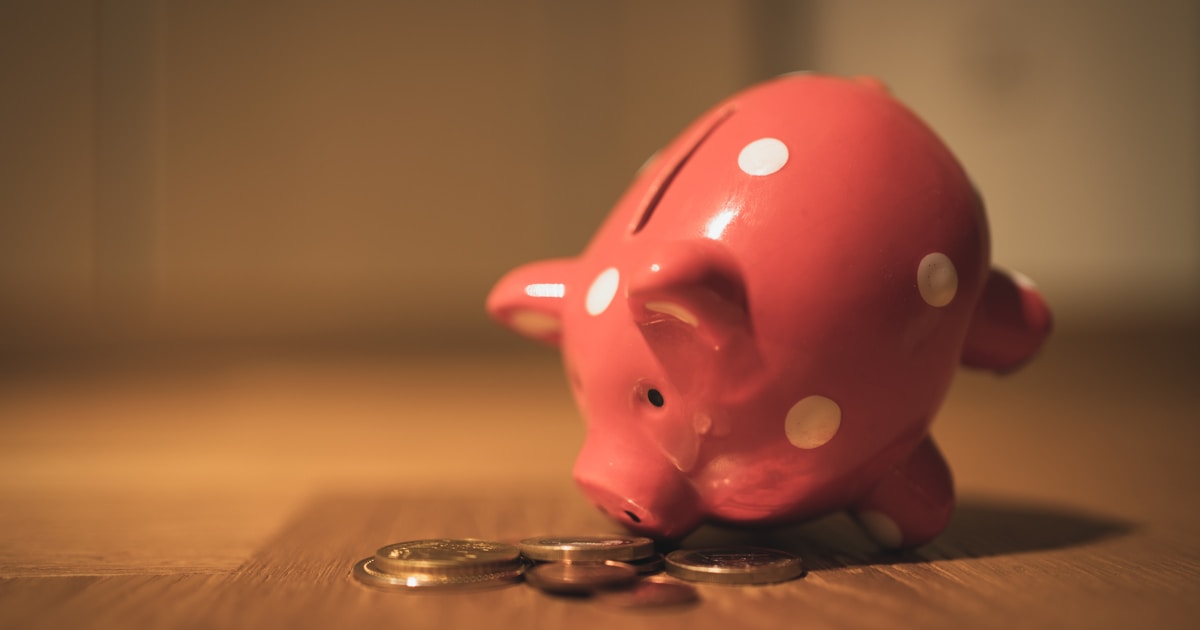
Best Cashback Apps That Turn Everyday Spending into Passive Income
The best cashback apps in 2025 are one of the easiest wins in personal finance, because you’re spending money anyway. Getting 1% to 10% back on purchases you were already going to make is about as close to free money as it gets. I’ve used most of these apps myself, and the savings add up faster than you’d expect.
The best cashback apps in 2025 include Rakuten for online shopping, Ibotta for groceries, and Upside for gas. Used consistently and without changing your spending habits, these apps can save the average person $200 to $600 per year with minimal effort.
Disclaimer: This article is for informational purposes only and does not constitute financial advice. Always consult a qualified financial professional before making financial decisions.
What Are the Best Cashback Apps for Online Shopping in 2025?
When it comes to online shopping, Rakuten is the clear first choice and honestly the one app I’d tell anyone to install before anything else. Formerly known as Ebates, Rakuten partners with over 3,500 retailers and pays you a percentage of your purchase back every time you shop through their portal or browser extension.
Cashback rates typically run 1% to 5% at most stores, but Rakuten frequently runs boosted promotions hitting 8% to 15% or more at popular retailers. Payouts come quarterly as a check or PayPal deposit, which feels like a nice little bonus every few months.
The browser extension is what makes this truly effortless. It activates automatically on supported retailer websites, shows you the current cashback rate, and applies it with a single click. No coupon hunting, no code entry. On bigger purchases like furniture, electronics, or travel bookings, a single Rakuten transaction can return $20 to $100 or more.
According to Rakuten’s own data, members earn an average of over $100 per year just from online shopping cashback, and heavy users earn significantly more. If you do any amount of online shopping, there’s really no reason not to have the extension installed.
Capital One Shopping is worth stacking on top of Rakuten. It’s a free browser extension that automatically hunts for and applies coupon codes at checkout. Unlike Rakuten, it doesn’t deposit cashback to an account. Instead it applies savings as direct price reductions right at checkout. Honey, owned by PayPal, works similarly and is worth having alongside Capital One Shopping since their coupon databases don’t fully overlap.
Want to stretch your dollars even further online? Check out these budgeting strategies that pair well with cashback tools.
Which Cashback App Is Best for Saving Money on Groceries?
Ibotta is the undisputed leader for grocery cashback, and it’s been my go-to for in-store savings for years. The way it works is simple: you browse available offers for specific products at specific stores, add the ones that match what’s already on your list, make your purchase, and then upload your receipt to claim the cashback.
Cashback amounts per product typically run $0.25 to $1.50, with occasional higher-value offers for new product trials. There are also blanket category offers like $0.25 back on any fresh vegetables regardless of brand, which quietly adds up over a month of regular grocery shopping.
According to Ibotta, consistent users save an average of $30 to $50 per month without changing what they buy. That’s just by matching available offers to a list they were already shopping from. The minimum to cash out is $20, and you can get your money via PayPal, Venmo, or gift cards.
Fetch Rewards is the lazier alternative if you find Ibotta too involved. You don’t need to browse offers beforehand. Just scan any grocery receipt after checkout and earn points automatically on eligible items. The points-to-dollar conversion is lower than Ibotta’s targeted offers, but if Fetch’s low-friction approach means you’ll actually use it every single week instead of occasionally, it likely earns you more total savings over a year.
These grocery savings pair nicely with a broader plan. If you’re working on cutting food costs, our guide on budgeting strategies covers meal planning and grocery spending in depth.
How Much Can You Realistically Save With Gas Cashback Apps?
Upside is the standout app specifically designed for gas station cashback, and it’s more useful than most people realize. You open the app, browse participating gas stations near you, claim the cashback offer (usually $0.05 to $0.25 per gallon), fill up, and upload your receipt. That’s it.
Nobody’s suggesting you drive 20 miles out of your way for $0.15 per gallon savings. But if a participating station is already on your regular route, it’s genuinely effortless money. Regular commuters who use Upside consistently typically save $5 to $15 per month on gas alone, which works out to $60 to $180 per year from one simple habit.
According to Bankrate’s 2024 consumer savings report, the average American spends over $2,000 per year on gasoline. Even at the lower end of Upside’s cashback rates, that’s a meaningful percentage back in your pocket. Upside pays out via PayPal, bank transfer, or gift cards, so there’s flexibility in how you collect.
Upside also works at a growing number of restaurants, so it’s worth checking when you eat out too. If you’re looking for more ways to cut transportation and daily spending costs, exploring passive income streams can help offset those recurring expenses over time.
Are Cashback Apps Worth It or Do They Change Your Spending Habits?
This is the question I think about every time someone says they love cashback apps. The biggest risk isn’t the app itself, it’s the rationalization that creeps in. “I’m getting 8% back, so I might as well buy this thing I wasn’t planning on buying.” That’s how a money-saving tool actually costs you money.
According to the Consumer Financial Protection Bureau (CFPB), psychological pricing tactics and rewards framing consistently influence consumers to spend more than they intended. Cashback is a form of that same framing if you’re not intentional about how you use it.
The rule is simple: check cashback availability on purchases you’ve already decided to make, not the other way around. You don’t buy something because there’s cashback on it. You get cashback on something you were buying anyway. That one mindset shift is the difference between saving money and spending more in pursuit of rewards.
Used with discipline, most people who consistently use even two or three of these apps pull in $200 to $600 per year in real savings. That’s not life-changing money, but it’s a free contribution to an emergency fund, a debt payment, or an investment account. Speaking of which, if you’re carrying high-interest debt, redirecting cashback savings toward your balances is a smart move. Learn more about debt payoff strategies that can accelerate your progress.
How Do You Stack Multiple Cashback Apps to Maximize Savings?
Stacking is the art of layering multiple savings methods on a single purchase, and it’s completely allowed by almost every app and retailer. Done right, it multiplies your savings without any extra spending. Here’s how to think about it practically.
For online shopping, the basic stack looks like this:
- Install both Rakuten and Capital One Shopping as browser extensions so they activate automatically on checkout pages
- Let Capital One Shopping apply any available coupon codes to reduce the purchase price first
- Confirm Rakuten’s cashback is activated so you earn a percentage back on the final price paid
- If you’re paying with a rewards credit card, that’s a third layer of cashback on top of both
- Check if the retailer has their own loyalty program, because sometimes points stack on top of everything else
For groceries, stack Ibotta’s targeted offers with manufacturer coupons from the store’s own app. Many stores let you digitally clip coupons directly in their loyalty app, and Ibotta cashback applies on top of those discounts.
For gas, use Upside’s cashback while also paying with a credit card that earns bonus points on gas purchases. According to NerdWallet’s 2024 rewards card analysis, some cards offer 3% to 5% back on gas, meaning you could realistically earn 8% or more total on every fill-up by combining both.
The key to stacking is automation. If you have to manually remember to activate each layer every time, you’ll forget half of them. Get the browser extensions installed and the grocery apps set up so savings happen passively in the background. For more ideas on building systems that earn money with low effort, browse these side hustle ideas that complement a cashback savings habit.
What Are the Best Cashback and Coupon Apps for Beginners?
If you’re just starting out and the list of apps feels overwhelming, here’s the honest beginner setup that covers the majority of everyday spending without requiring much time or learning curve.
Start with just three apps:
- Rakuten browser extension for all online shopping, takes about 3 minutes to install and works automatically
- Ibotta for grocery runs, spend 5 minutes before each shopping trip browsing offers that match your list
- Upside for gas, open it before your next fill-up and claim the nearest offer
- Capital One Shopping extension alongside Rakuten for automatic coupon application at checkout
- Fetch Rewards as a backup for any receipts that don’t have Ibotta coverage, since you just scan and earn points
That’s genuinely about 10 minutes of total setup time. Once they’re running, most of the savings happen automatically or with a quick receipt scan. According to the Federal Reserve’s 2023 Report on the Economic Well-Being of U.S. Households, 37% of Americans would struggle to cover a $400 emergency expense. Saving an extra $300 to $600 per year through cashback apps isn’t a trivial amount for most households.
These tools work best as part of a larger financial system. If you want to see what else you can do to improve your money situation without a huge time investment, explore these financial tools and resources we recommend for everyday savers.
Frequently Asked Questions
Do cashback apps actually save you real money?
Yes, but the amount depends on how consistently you use them. Most disciplined users save between $200 and $600 per year across grocery, online shopping, and gas categories without changing what they buy.
Is it safe to connect your accounts to cashback apps?
Reputable apps like Rakuten, Ibotta, and Fetch use industry-standard encryption and don’t store your full payment details. That said, always read the privacy policy and use a strong, unique password for any financial app you sign up for.
Can you use multiple cashback apps at the same time?
Absolutely, and you should. Stacking Rakuten with a coupon extension like Capital One Shopping on the same purchase is completely allowed and gets you both a price reduction and cashback at checkout.
How do cashback apps make money if they’re free?
Retailers pay these platforms a commission for driving traffic and completed purchases. The app keeps a cut and passes the rest to you as cashback. You’re essentially getting a share of the affiliate commission the store would have paid anyway.
Disclaimer: This article is for informational purposes only and does not constitute financial advice. Always consult a qualified financial professional before making financial decisions.
The single best action you can take today is to install the Rakuten browser extension right now, before you close this tab. It takes under three minutes, it works automatically every time you shop online, and there’s genuinely no downside to having it. Once that’s done, download Ibotta before your next grocery run and spend five minutes matching offers to your list. That’s it. Two apps, one afternoon, and you’ve got a savings system that runs mostly on autopilot from here on out.